 Skip to content
Sumac CRM
MANAGE YOUR ENTIRE
NONPROFIT WITH
A SINGLE CRM
Centralize data management, enhance reporting, streamline operations, and do more good with the best all-in-one nonprofit CRM.
.png)
What Sets Sumac Nonprofit CRM Apart
A Complete Solution
Choose the add-ons and webforms you need.
Simple Configuration
Customize your CRM in minutes to fit your data.
Top-Rated Support
Get free top-rated, live phone support included.

- “We love that we now have a centralized place to manage everything.”
-

- Capterra Reviewer
- “The quality of customer support is superior to any other product I've seen.”
-
- Capterra Reviewer
- “Switching to Sumac has been one of the best decisions we have made.”
-
- Capterra Reviewer
- “Sumac is incredibly easy to use, is customizable, and the support is outstanding.”
-
- Capterra Reviewer
- “Great customer service and an incredible product!!”
-
- Capterra Reviewer
- “Switching to Sumac was the best decision! We love that we now have a centralized place to manage everything – donations, case management, memberships, and training courses.”
-
- Financial Controller & Assistant Director of Operations, Ontario Brain Injury Association
A Nonprofit CRM With The Features You Need To Grow
%20(1).png)
Manage All Contacts & Activities With Ease
- Take the guesswork out of managing your donors, clients, volunteers, and members wth contact data, history, and key activities at your fingertips.
Get Alerts So You Never Miss Important Activity
Stay on top of all activity at your organization with custom alerts that notify you of things like new donation, memberships, and client activity.


Stay Engaged & Grow Your Supporter Base
- Sumac includes built-in email marketing with a sleek HTML email template builder, so you can send mass emails, including newsletters, fundraising letters, notices, and more right from your database.
Automate Your Processes & Workflows
Create custom action plans to automate workflows for donors, clients, and members so you stay on top of next steps.
If you can dream it up, you can create an action plan for it!


Measure What Matters
- Track and report on key metrics with ease to help inform decisions, and report back to donors, funders, and your board.
Sumac nonprofit CRM includes hundreds of built-in reports, along with the ability to create custom ad-hoc reports, and save your favorite reports for easy access.
Customize To Fit Your Needs
- Customize Sumac in minutes so it fits your nonprofit's unique data and programs, create custom reports, and even add a custom extension.

Choose The Add-On Functionality You Need
-

-
Case Management
- Sumac Case Management streamlines client intake, service delivery, and reporting, helping you provide the best client care.
-
-
-
Memberships
- Sumac Memberships streamlines member signup, renewals, and payments in one place, so you can grow your membership program.
-
-

-
Donations
- Sumac Donations streamlines fundraising outreach, donation processing, and receipting, helping you meet your fundraising goals.
-
-

-
Online Webforms
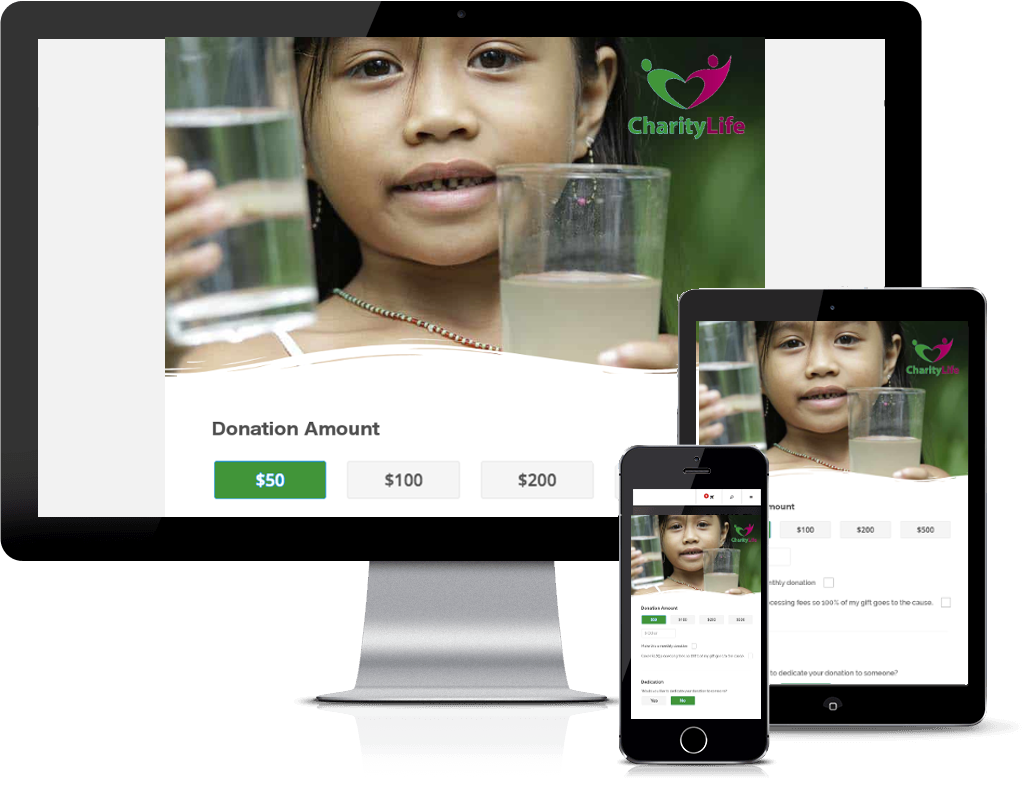
- Donation, case management, volunteer, and membership webforms seamlessly integrate with your Sumac CRM.
-
-
-
-
Specialized Webforms
- Sumac Specialized Webforms allow you to capture additional information about your constituents on your website.
-
-
-
Volunteers
- Sumac Volunteer Management streamlines the entire process of managing volunteers, from recruitment to scheduling, thanking, and reporting.
-
-
-
Grant Management
- Sumac Grant Management enables you track grant applications and build a structured, step-by-step approach to winning new grants to support your mission.
-
-

-
Prospecting
- Sumac Prospecting rapidly calculates a percentile ranking for each contact in your database based on criteria that you specify to help you identify potential large donors.
-
-
-
Specialized Extension
- Sumac offers a Specialized Extension that is customized to track data and programs unique to your organization, and works seamlessly with every other part of your CRM.
-
- “If you are looking for a versatile database with the ability to change functions to meet your needs, Sumac is an excellent choice.”
-

- Executive Director of Sonoma County Wildlife Rescue
Integrations
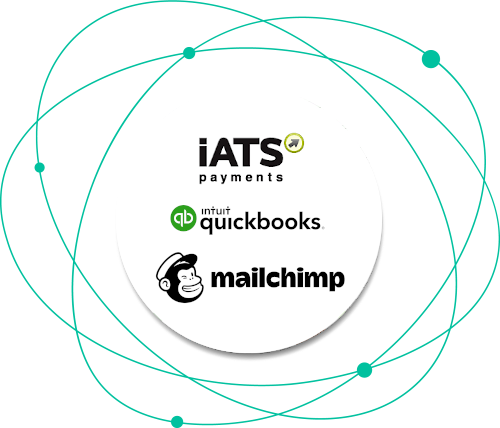
- Payment Processing - iATS, Stripe
- Accounting Software - QuickBooks
- Email - MailChimp, Constant Contact
- Office - Google Calendar
Pricing That's Tailored For Your Needs
Prices for Sumac Nonprofit CRM start at just $49/month
Included:
- Cloud-based Sumac CRM
- Communication tracking
- Bulk and individual email
- Workflow management
- Reminders
- Built-in and ad-hoc reporting
- Accounting integration
- 1,000 record capacity
Add-on Options:
- Case Management & Client Intake Webforms
- Donations & Donation Webforms
- Volunteers & Volunteer Signup Webforms
- Memberships & Member Signup Webforms
- Prospecting
- Grant Management
- Specialized Extension
- Specialized Webforms
- Additional record capacity up to 200k
Included With Every Nonprofit CRM Plan
Simple Configuration
Easily configure drop-down lists, checkboxes, tabs, and fields in minutes to fit your data.
Cloud-Access
Free Support
Access support by phone, email, portal, and in-app tools.
Learn more
Free On-Demand Training
Unlimited access to on-demand instructor-led training whenever you need it.
Learn more
Integrations
Integrate with the solutions you already use for email marketing, accounting, and payment process.
Learn more
Free Upgrades
Ready To Take A Closer Look?
Talk to an expert about your nonprofit's needs:
- See a demo
- Get your questions answered
- Discuss your specific goals
- Find out about our onboarding services
Frequently Asked Questions
Yes! Simplicity and consistency of design is what makes Sumac’s nonprofit CRM so straightforward and user-friendly. We also offer on-demand training, namely “Partner Academy”, for all of our nonprofit customers that need assistance.
You can also customize the CRM to capture your nonprofit’s unique data and manage your programs.
Yes! Simplicity and consistency of design is what makes Sumac’s nonprofit CRM so straightforward and user-friendly. We also offer on-demand training, namely “Partner Academy”, for all of our nonprofit customers that need assistance.
You can also customize the CRM to capture your nonprofit’s unique data and manage your programs.
Sumac CRM for nonprofits was designed specifically with nonprofits in mind, and is tailored for your nonprofit’s unique programs and data. Sumac CRM helps nonprofits in the following ways:
- Saves time: Automate the repetitive, time-consuming tasks to streamline operations and save time.
- Improves operations: Seamlessly manage contacts, donors, members & volunteers, along with programs, events and more, all in one place.
- Reports on outcomes: Easily analyze data and report on key metrics to report back to donors and funders.
Yes! While most other CRM solutions for nonprofits charge additional fees for support, or force you to use automated chat bots or phone systems for support, our phone support connects you immediately with live knowledgeable support staff who will help you solve any issues promptly.
Every installation of Sumac CRM for nonprofits includes live phone support at no additional charge and it’s outstanding. In fact, our customer support is one of the things our nonprofit clients always rave about in their reviews. Read about what our customers had to say about our CRM software support here.
We take our commitment to our clients’ success very seriously, and that’s why we offer free live support with every software package.
Yes! Sumac non-profit CRM software was created to make the lives of nonprofit professionals easier, so the database will work with most of the software programs in your office environment, including accounting software, email marketing programs, and desktop applications like word processing, spreadsheets, email, and calendars.
Sumac integrates with iATS, QuickBooks, Mailchimp and Google’s email and calendar servers to name just a few. Find a complete list of integrations here.
Yes! Sumac CRM for nonprofit organizations offers sleek online donation forms that match the look and feel of your website to make your online fundraising even easier. These donation forms are easily embedded on your website and integrate seamlessly with your nonprofit CRM.
You don’t have to worry about exporting donor and donation data from online giving software to your nonprofit CRM. All donor data entered on your website is automatically captured in your Sumac CRM.
You can track your fundraising, collect donations, create donor profiles and issue receipts – all in one place. Learn more about Sumac’s online donation forms here.
Yes! We designed our CRM software so that it can be easily configured to meet the unique needs of each nonprofit. We understand that every nonprofit has different programs, data, and reporting needs. That’s why we created a CRM that responds to your unique needs with configurable fields, dropdowns, and tabs that fit your programs and data.
Our easy-to-navigate interface lets you adjust workflows and incorporate language that is specific to your nonprofit, without any technical expertise.
Here are a few ways you can configure Sumac nonprofit CRM for your nonprofit’s unique needs:
- Choose the functionality you need: Sumac lets you pick from the add-on functionalities or extensions that you require, so you can create the CRM software tailored for your nonprofit’s exact needs. Choose from our grant management, case management, volunteer management, memberships, and more.
- Configure dropdowns and fields: Sumac CRM gives you the flexibility to add your own fields to track and collect information that’s unique to your nonprofit. You can add tabs, and easily customize dropdowns, checkboxes, and fields in the software.
- Create your own custom extension: Sumac CRM also offers nonprofits the opportunity to create a completely customized extension that can be configured to track data and services that are exclusive to your nonprofit.
Yes! At Sumac we take security and privacy very seriously. Sumac goes through a regular SSF-validation process to ensure the highest security within our software.
Sumac also supports all the technical requirements that enable an organization to be in compliance with the requirements of the HIPAA and PIPEDA standards that govern the secure handling and privacy of personal data.
Our Cloud databases are also hosted on Amazon Web Services (AWS), a world-class infrastructure with extremely high security. This means your nonprofit database has the best data security, and is always up to date with current software privacy and security requirements. Check out AWS’ Security Manual for more details.
Sumac CRM for nonprofit organizations can be used by both small and large organizations. Large nonprofits need multiple integrations and a CRM that can process and manage high volumes of data, which Sumac does perfectly.
Smaller nonprofits can also benefit from Sumac’s nonprofit CRM solutions to maximize the efficiency of their teams. CRM software will help small nonprofits use fewer resources and automates routine tasks so you spend less time on administration, managing schedules and sending updates to donors and members.
Sumac’s non-profit CRM software comes with integrations and the option to select the right add-on functionality or extension that suits a nonprofit organization’s needs – both large and small. Request a demo here.
No way! Unlike many CRM solutions for nonprofits that charge extra for usage, support, and software updates, we strongly believe in transparent pricing with no surprises. Pricing for Sumac CRM starts at just $49/month. Our quotes include all fees and you will never be charged anything extra once you select a pricing plan.
Sumac CRM for nonprofits collects and integrates information from all your key constituents. You can choose the type of information you’d like to collect from donors, volunteers, staff, event attendees and others.
Depending on what you need to track, Sumac non-profit management software will collect:
- Personal information: name, age, gender, date of birth
- Contact information and postal address: phone number, email(s), physical address
- Relationship or marital status, and info about children
- Familial, organizational, and corporate connections
- History with organization: donation and membership payment history, event attendance, etc,
- All past and present points of communication with the organization
- Subscription preferences
- Philanthropic interests
- Social network information; social media profiles, addresses, handles, etc.
- Additional contact data your nonprofit needs to track (ask us how)
There are many nonprofit CRM solutions out there, but there are a few things that set Sumac CRM apart from the competition:
- An all-in-one solution
- Free live support
- Configurability
Unlike other nonprofit databases that just manage donors, and receipts, Sumac’s CRM is an all-in-one non-profit management system that allows you to manage your entire nonprofit in one place. It helps with: Fundraising, Email Marketing, Time Tracking and Reporting, Accounting and Events.
You can also choose the add-on functionality to manage program-specific activities, like: Memberships, Case Management and Volunteers – or build your own custom activities. Add online donation forms to support your online fundraising, and you’ve got a complete software solution to manage your entire nonprofit.
We also don’t charge you any extra fees for support and connect you quickly to professionals ready to sort out your issues. Sumac is also affordably priced for nonprofits. While other CRM systems for non-profits price their solutions at $100/month and up, Sumac’s non-profit management software starts at just $49/month.
We keep our prices low as part of our commitment to help nonprofits access the software tools and technology they need to succeed.
If you are a nonprofit you might also want the following additional software and integrations with your CRM.
Donation and Fundraising CRM software: Silent Partner’s software is a complete fundraising and donor management solution that integrates donor tracking, online fundraising, email marketing, and campaigns in one place to help you reach your fundraising goals. Learn more.
Donation tracking software: This is especially useful for larger organizations with a high volume of donations to manage. Silent Partner’s donation tracking software Partner DMS is a powerful, enterprise-level donation management software for organizations who want to streamline donation processing, receipting, and reporting. Plus it’s 100% IRS/CRA-compliant! For more information click here.
Nonprofit case management software: Sumac’s case management software is designed to deliver personalized care that fits your nonprofit’s unique programs and data and help you effectively manage client intake, workflow, and resources, and provide the best client care possible! Especially designed for health and social service organizations like shelters, hospices and palliative care facilities. Click here to learn more.
Membership management software: For nonprofits who need to better manage their donors, volunteers or members. Sumac Membership management is powered by Sumac’s nonprofit CRM which connects all your contacts in one place so you can see a complete history of their relationship with your nonprofit and grow your membership base. Learn more here.
Board management software: My Board View is easy-to-use board portal software by Silent Partner that’s 100% free for all nonprofits! Spend less time on board administration and more time fulfilling your mission. Click here to sign up!
Like nonprofit management software, CRM systems for non-profits are designed to manage relationships between nonprofits and their key stakeholders. These usually include donors, board members, volunteers, members, alumni, and event attendees.
The best non-profit CRMs provide all the essential tools nonprofits need to track and manage such relationships with increased efficiency. Nonprofits can record an individual’s past engagement and relevant biographical data, informing fundraising and marketing strategies and optimizing reporting processes.
These nonprofit CRM software solutions allow nonprofits to capture a detailed picture of their supporters and design their engagement and fundraising goals accordingly. In this way, nonprofit CRM software can help organizations attract and retain members who support the organization and increase their potential for success.
Nonprofit CRM solutions are mainly used by nonprofit employees responsible for outreach, marketing, PR, or fundraising. Often, nonprofit CRM software is used interchangeably with fundraising CRM software but the latter usually includes features specifically designed to support fundraising teams. Sumac’s non-profit CRM software includes extension features that increase the functionality of your fundraising tool.
Nonprofit CRM software helps nonprofits and social businesses maximize their efficiency while continuing to keep important stakeholders engaged and involved with their mission.
CRM software does this by collecting a broad range of important information about prospective and current donors, volunteers and supporters. It organizes member data and integrates with other software to create a central dashboard with data from marketing, fundraising and accounting – giving nonprofits a 360-degree view of the current status of their organization. Such data from CRM software provides a better way for nonprofit teams to manage external relationships, collaborate on different processes and increase productivity.
The best non-profit CRMs provide significant benefits to nonprofit organizations. Here are a few key reasons to invest in a CRM software:
- Reduces cost: Nonprofit CRM software automates processes allowing you to reduce operational costs and decrease the number of routine operations, which your employees performed manually.
- Improves quality of external relationships: Relationship management systems allow teams to stay on top of conversations, pay more attention to donors and tailor their messages to important stakeholders
- Increases loyalty and involvement: CRM software allows staff to send personalized messages and updates – and donors that have personal relationships with your teams and regularly receive updates about your nonprofit are more likely to be involved with your mission.
Sumac is one of the best CRM systems for non-profits.
Nonprofit CRM software is designed specifically for nonprofits to manage their members. From fundraising staff to marketing, PR, and finance staff, nonprofit CRM software can serve a variety of functions to improve relationships and achieve fundraising and engagement goals.
Non-profit CRM software can be used by nonprofits of all kinds, including colleges and universities, museums and cultural institutions, advocacy and grassroots groups, human services organizations, conservation groups, and others. Any nonprofit that needs to engage their donor base for philanthropic and volunteer support can greatly benefit from using nonprofit CRM software.
Key staff who may use nonprofit CRM software include:
Fundraising — Fundraising staff use nonprofit CRM software to manage all interactions with prospects. It gives fundraising teams oversight of current and prospective donor’s giving history, event attendance, and even personal interests and hobbies. This increased insight helps fundraisers personalize their interactions with donors and can keep teams updated on all touchpoints, so there is little overlap. Using a CRM for nonprofit organizations, fundraising teams can also target specific people for events, gift renewals, or other related stewardship tasks. Grant writers can also use nonprofit CRM software to track public and private grant-related deadlines and the submission process.
If you need more fundraising capabilities with your CRM we also have fundraising CRM software that seamlessly integrates donor tracking, online fundraising, email marketing, and campaigns in one place to help you reach your fundraising goals.
Marketing and communications — Marketing and communications staff rely on insights from member profiles housed in nonprofit CRM software. The best non-profit CRM software allows teams to segment target groups and view data on lapsed donors, previous volunteers, program-specific donors, etc. Marketers can use this information to create relevant content for any given demographic or data parameter. For example, marketing teams can tailor donation amounts to age groups (and make larger asks for donors who have previously contributed large amounts), or they can tailor event invitations for invitees who attended a previous year.
Event Management — Your event management staff can monitor event attendance and performance through non-profit CRM software, which can be very useful for fundraising galas or special donor events.
Finance — Finance staff use non-profit CRM software as an additional tool to keep track of revenue and expenses, in addition to their own nonprofit accounting software. The best non-profit CRM software will usually include easy integrations with popular accounting platforms like QuickBooks, so finance staff can upload and share this data easily with nonprofit leaders in other verticals who require the information. Finance and fundraising staff will often work together to conduct monthly, quarterly, or annual updates to ensure data that is tracked in the nonprofit CRM software matches up with the accounting software records.
There are two different types of nonprofit CRM solutions for nonprofits: on-premise and cloud-based software.
On-premise software hosts the CRM on the organization’s servers and can only be accessed by those physically present in the office. This is extremely useful for nonprofits with high-security needs. However, it does take more time to set up and requires increased IT resources. Nonprofits are also responsible for the maintenance and upkeep of the CRM software, which can cause costs to run high.
Cloud-based software, also popularly known as software-as-a-service (SaaS), hosts your CRM data on the software manufacturer’s servers. This keeps the data secure, while having the additional benefit of being able to access information from anywhere. Nonprofits can grant different levels of access to staff to ensure confidential information is not shared and the upkeep and maintenance of the software is taken care of by the vendor.
This includes getting new updates so your software is always improving and teams are given continuous support.
Yes. Sumac’s nonprofit CRM software offers users secure ‘access from anywhere’ via an online database that’s connected to the Sumac App on your computer. Your data is stored on world-class Amazon Web Services (AWS) which keeps your files secure while also enabling staff members to easily access the software from anywhere. Donors and members will also benefit from the direct integration of Sumac CRM’s embedded web-forms on your website.